Yes. SureCart can limit shipping to specific ZIP/postal codes, and everything on this page is a live, working setup on a real SureCart store. You can type ZIP codes into the two checkouts below and watch the shipping options change in real time.
Where the setting lives
Go to SureCart > Settings > Shipping, open a shipping profile, then create or edit a zone. Under the country list there is a field called Limit to specific ZIP/postal codes.
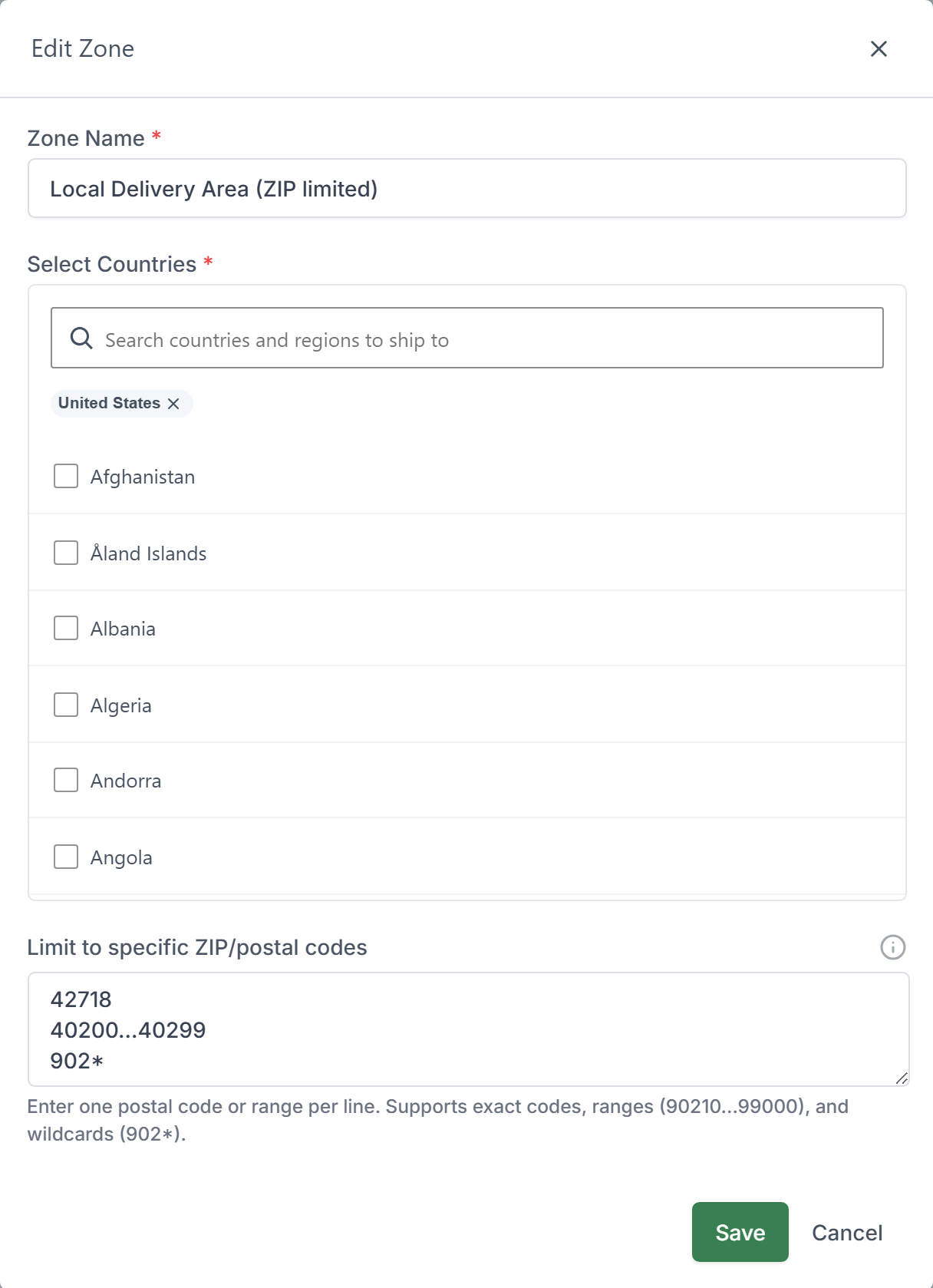
You enter one entry per line, and three formats are accepted:
- Exact code –
42718matches only that ZIP code. - Range –
40200...40299matches every code from 40200 to 40299. Three dots, numeric codes only. - Wildcard –
902*matches 90210, 90211, 90277 and so on.
The ZIP filter is applied on top of the country or region you picked for the zone. An address has to match both the territory and one of the ZIP patterns. Leave the field empty and the zone covers the whole territory, exactly as before.
The two setups on this page
Both demo products use the same ZIP list: 42718, 40200...40299, and 902*.
Setup 1. Ship only to your ZIP codes
One zone, United States, limited to the ZIP list, with a $5 Standard rate. Nothing else. Any US address outside those ZIP codes gets no shipping option at all and the order cannot be placed.
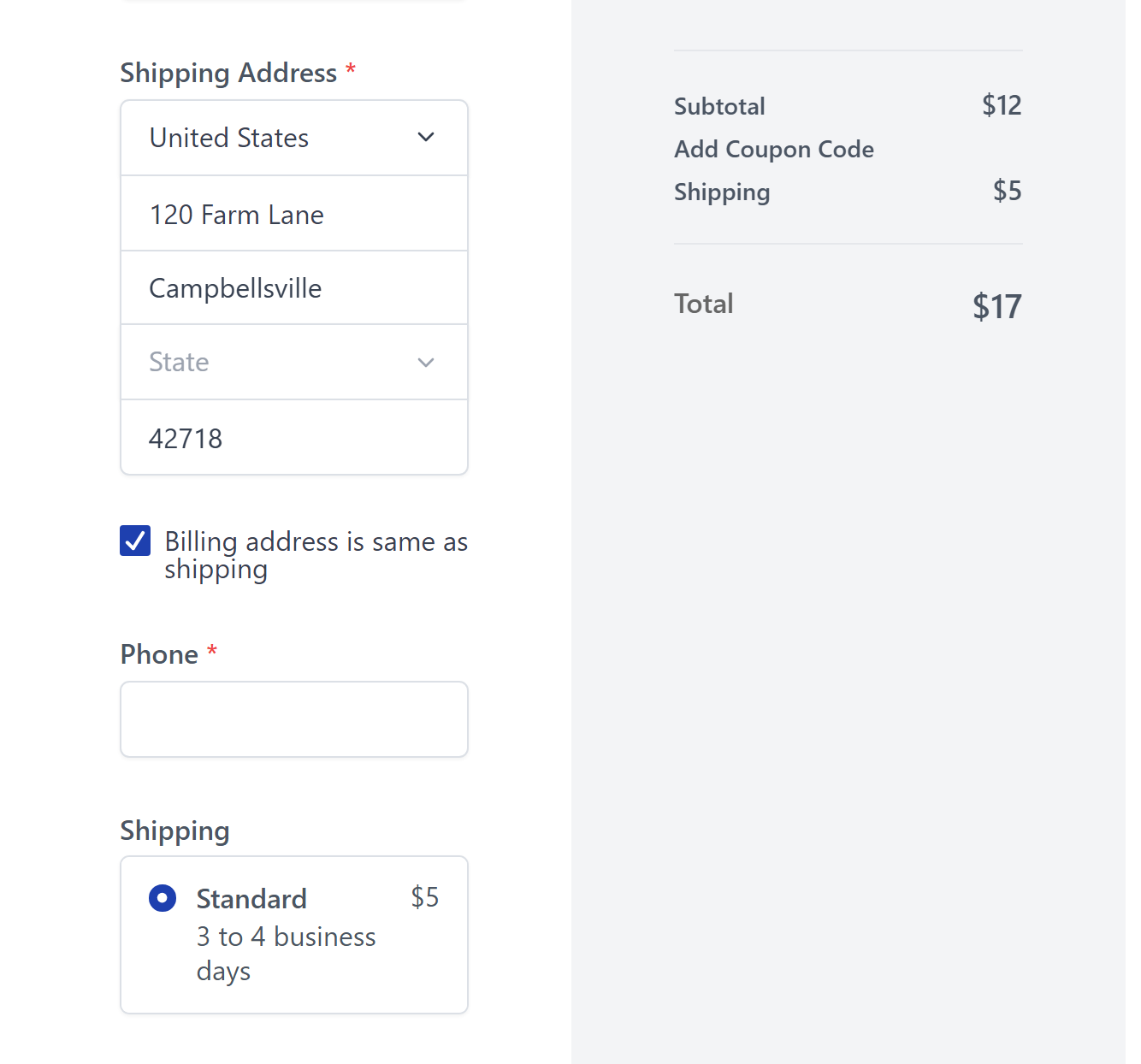
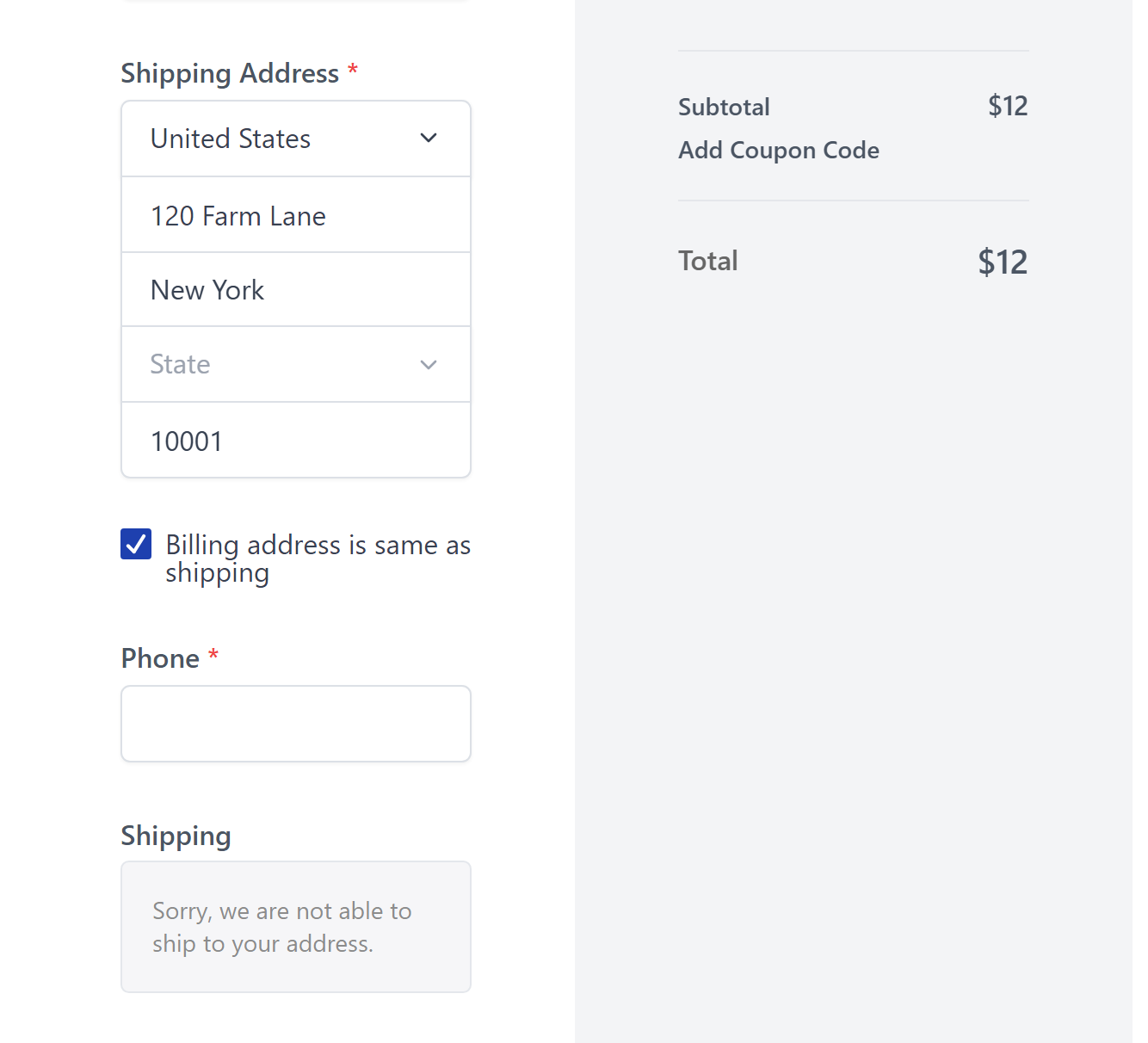
Choose United States, type any street and city, then try these ZIP codes:
42718– exact match. Shipping appears: Standard, $5.40250– inside the range. Shipping appears: Standard, $5.90210– matches the wildcard. Shipping appears: Standard, $5.10001– not on the list. “Sorry, we are not able to ship to your address.”40300– one past the end of the range. Blocked.42719– one digit off the exact code. Blocked.
Setup 2. Free local delivery, flat rate everywhere else
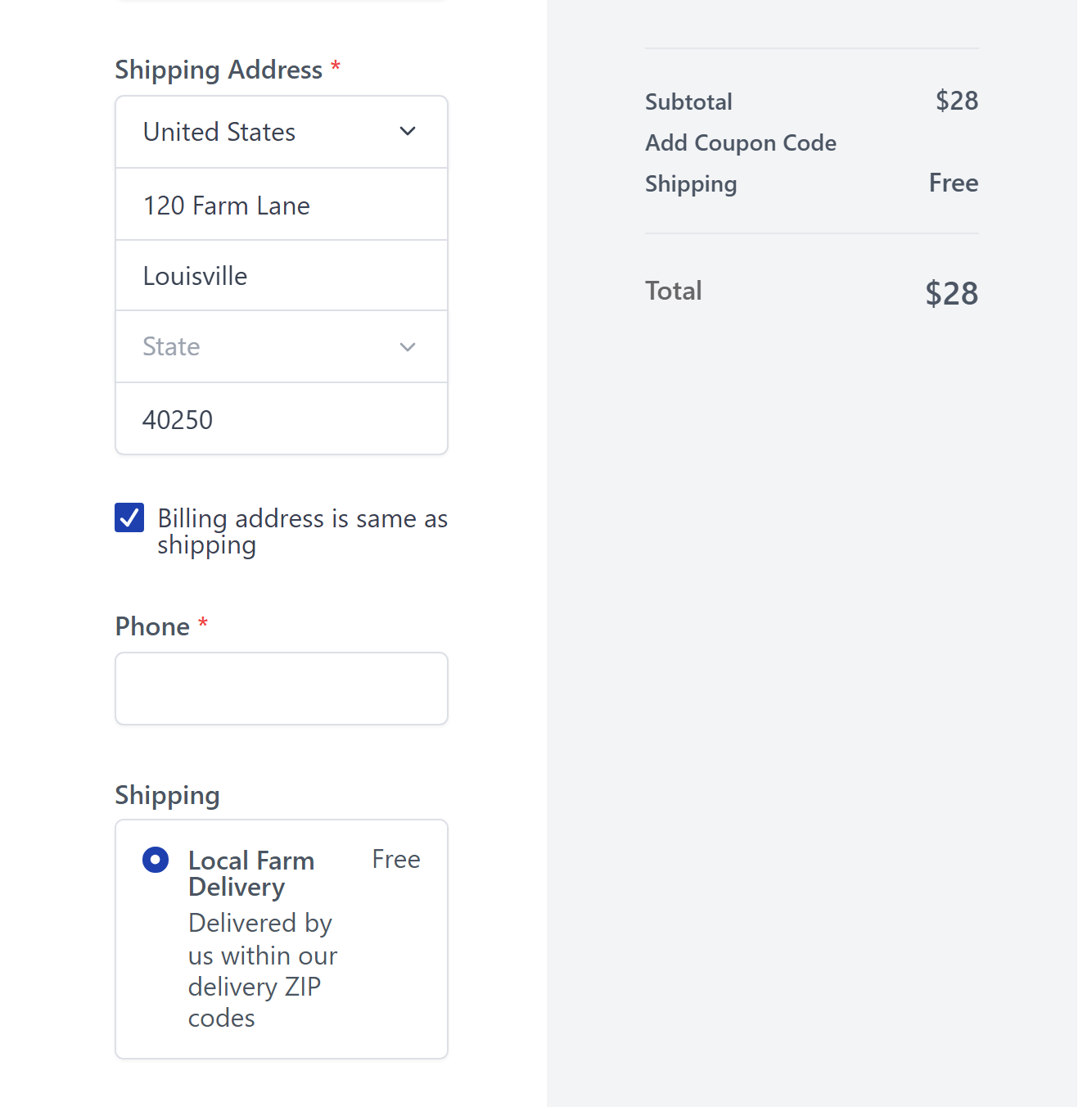
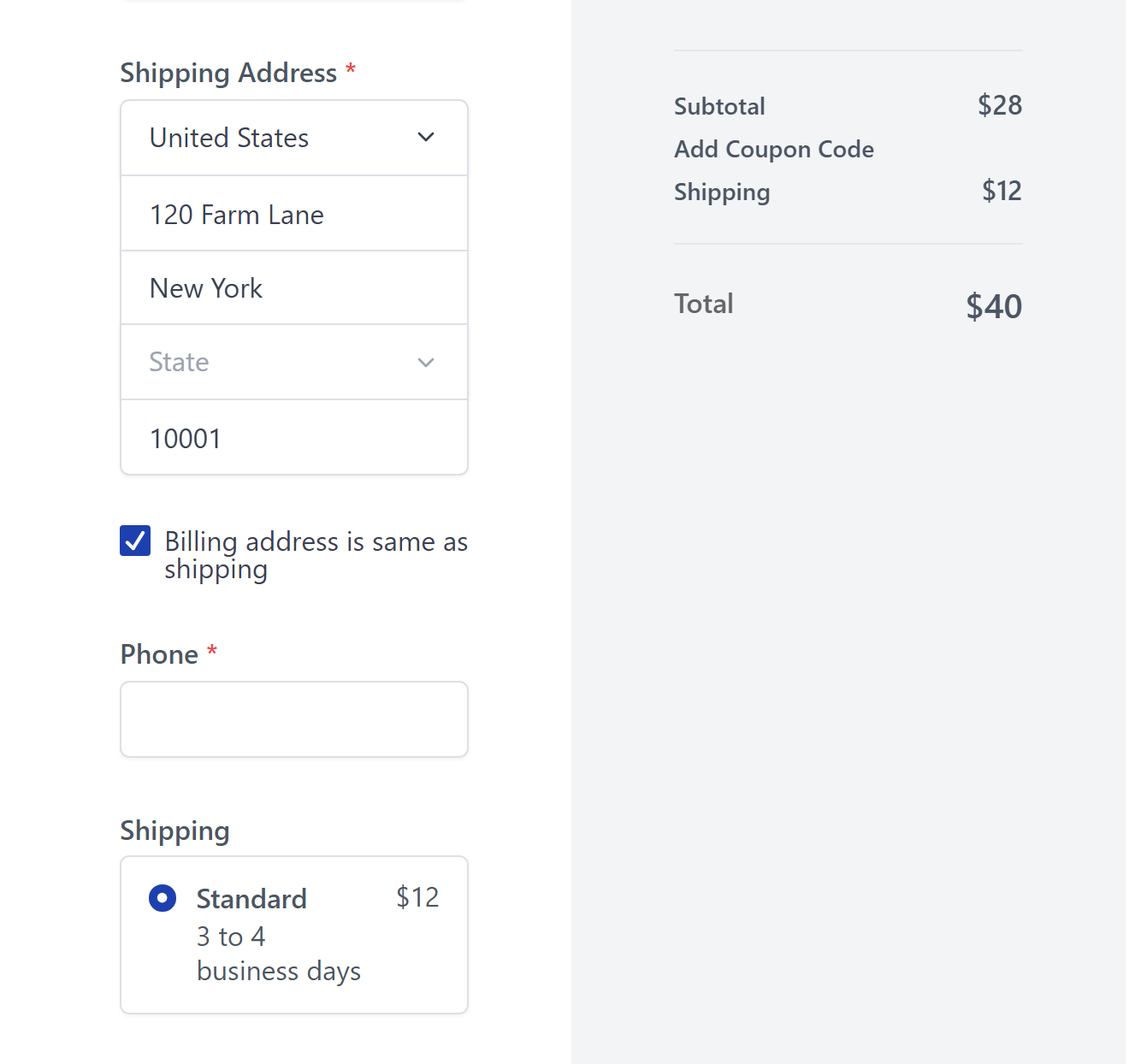
Two zones in one profile. The first is United States limited to the same ZIP list, with a free “Local Farm Delivery” rate. The second is United States with no ZIP filter, with a $12 Standard rate. SureCart always prefers the more specific zone, so a local ZIP code gets the free option and everyone else in the country gets the flat rate.
40250or42718or90210– Local Farm Delivery, free. Total stays $28.10001or40300– Standard, $12. Total becomes $40.
Good to know
- ZIP code shipping zones landed in SureCart 3.17.0 and are in every version since. This store is on 4.7.0.
- Ranges only work with numeric codes. For UK, Canadian or other letter and number codes, use exact codes or the wildcard, for example
SW1A*. - Codes are matched after trimming spaces and converting to upper case, so
sw1a 1aaandSW1A 1AAbehave the same. - Only one zone ever wins for a given address. A zone with ZIP codes beats a zone without, so a general country zone works as a natural fallback.
- This store is in test mode. Nothing is charged and no card is needed. Pick the Test Processor if you want to complete an order.
Live carrier rates, if you want them
SureCart 4.7.0 also added a direct Shippo integration. Once Shippo is connected you get a “Live carrier rates” rate type that quotes real carrier prices at checkout based on the customer’s address, the parcel and the product weight, and you can buy labels and track shipments from the order screen. It sits alongside flat, weight based and order value based rates, so you can keep a simple flat rate for your local ZIP codes and use live rates for the rest of the country.
